
File Size : 1.4 Mb
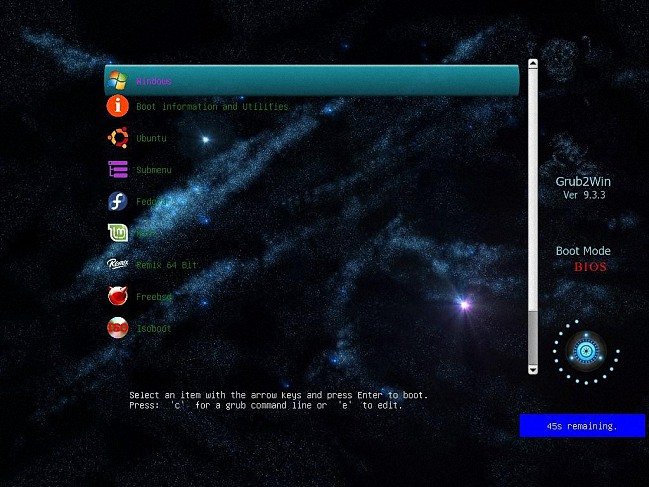
Grub2Win provides you with a boot manager that allows you to boot from various operating systems every single time you power your computer on.
First things first, boot managers resolve the problem that many users interfere with whenever they want to install different OSes on their PC. For instance, one may want to have Windows, a few Linux distributions and even a Mac OS X deployed on the same system. Without a boot manager, the boot sequence chooses the same OS over and over again and boots to it. Therefore, a boot manager is a must for any similar situation. Generally, a boot manager allows for every operating system to be installed to a separate partition, thus limiting the chances of potential conflicts. The thing with this trend amongst advanced users is quite simple to comprehend. If you ever find yourself dying to take a new operating system for a test run without completely switching to it, then you can install it alongside the current OSes on the computer. Thus, you donât have to install it over the one you are already running then reinstalling the old one if you donât find it any reason to keep the new one. Other than this, there are several other reasons to utilize boot managers and, implicitly, multiple operating systems. One of them can refer to developing and testing applications.
Overall, Grub2Win is a pretty nifty application that silently sits in the first primary partition of your system takes up little space and also packs several themes for you to choose the right one from. This way, you make sure you are not interfering with the Windows MBR code and that your partitions do not mix and create a gigantic headache.
Features
Supports 64 and 32 bit EFI as well as BIOS firmware
Installs to Windows 10, 8, 7, Vista and XP
Requires just one directory on the Windows C: drive, about 15 MB disk space
Simple Windows GUI easily sets up Grub2Win in seconds
Lets you set your EFI firmware boot order from within Windows
Preview and select boot themes and animations during the install
Grub boot messages and help can be displayed in 27 major languages worldwide
Works with all filesystems including Mac hfs and Btrfs
Can search for and boot a partition by it's label. Supports advanced scripting
Works with both MBR and GPT disks - up to 128 primary partitions per drive
Supports extremely large (over 4 TB) disks and partitions
No registry changes
Safely multiboot Windows, Remix, Android, Ubuntu, Debian, Suse, Fedora, Mint and more
Grub customization is done from Windows - Configuration in Linux is not required
Runs open source GNU Grub 2.02 code. Frequent releases and enhancements
No adware or spyware - No hassles... It just works
HomePage:
https://sourceforge.net/projects/grub2win/
Download
Grub2Win 2.4.1.8
Size: • Version:
Archive password: Password not set
