
File size: 8.1 MB
The Red Rock Sound Inspirer plug-in is developed to meet the growing demand for maximum apparent loudness in contemporary immersive music mixes.
While many existing techniques rely on compression and limiting to enhance modulation and create an exciting sound, the Inspirer takes these methods a step further. It can boost the loudness of virtually any audio material, regardless of prior compression or dynamic range. Moreover, the Inspirer is capable of imparting the warmth and character inherent to analog consoles.
Save time and avoid tedious manual workarounds with the Inspirer plug-in designed from the ground up for fast, efficient work on mid/side, stereo and the objects, the beds (fixed channels) of immersive mixing environments.
Units
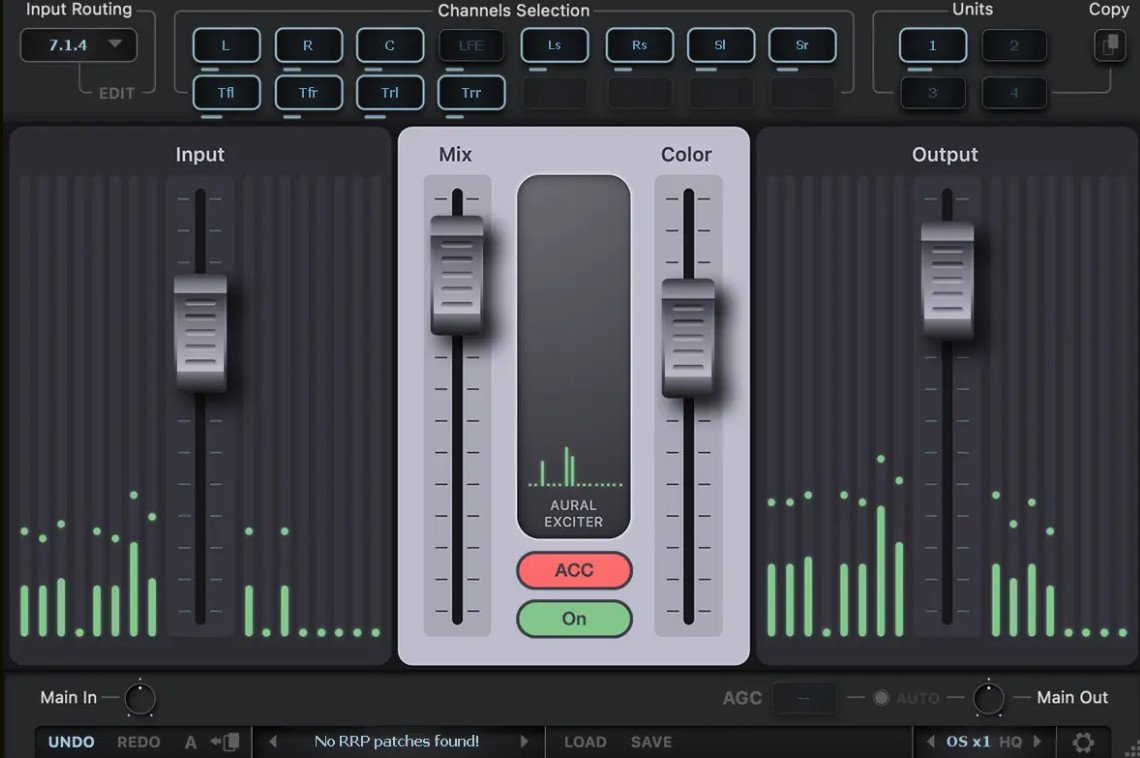
This module allows you to select an Aural Exciter from four available. The Aural Exciters are arranged in series, this allows you to process channels with different Exciter settings.
For example: the first Aural Exciter is only the mid channel, the second Aural Exciter is only the side channel, the third Aural Exciter is the left and right channel. For multi-channel modes: the first Aural Exciter is only the left and right channels, the second Aural Exciter is the center channel, the third Aural Exciter is the LFE, etc.
You can rename unit Buttons for ease of use. To rename the selected Unit button, right-click on the button.
In order to turn on the solo (listen) of the Aural Exciter, double-click on the selected unit number. The unit in solo mode glows yellow, to exit solo mode, double-click again. For two-channel modes, only one unit can be solo mode. For multi-channel modes, one or more units can be soloed.
To bypass selected Aural Exciter processing, press the selected unit number one click + shift. In bypass mode, the button will glow red.
You can also copy all Aural Exciter settings to another unit. To do this, select the unit from which you want to copy the settings, then click on the copy button, then select the unit to which you want to copy the settings.
Input Routing
Input Routing lets you choose between 44 common channel setups, starting from Stereo up to 7.1.4 and 9.1.6. Simply select in the input routing module the channel setup that fits your track.
You can also create your own input routing profiles. 16 independent channels are available.
Click on the edit button next to the input routing selection display. Hold down the shift button and select the desired number of channels. Name selected channels in order. Then click save and name the profile.
Whats New
Updates: official site does not provide any info about changes in this version
HomePage:
https://redrocksound.pro/en/inspirer/
Download
Red Rock Sound Inspirer v1.0.0
Size: • Version:
Archive password: Password not set
